One clear answer.
A useful next step.
Find a missing file, fix a PDF, or make your browser work better. Follow a guide, try the original practice files, and check your result.
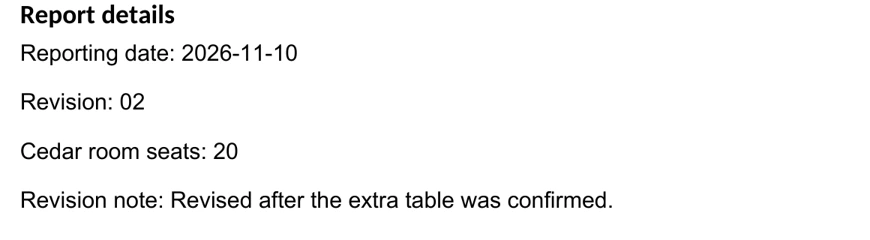
Fictional teaching example
Which report is the latest?
Read the date and revision inside four reports. Give each copy a name you can sort.
From the original report · date and revision fieldsReport date 2026-11-10 · Revision 02 · 20 seatsOpen the file-naming practice →What needs sorting out?
All 48 guides →Start with a practical skill
Selected guidesFill a PDF.
Make sure it saved.
Use a two-page form with six fields, save your answers, then reopen both pages to check them.
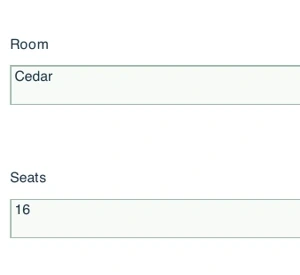
Page 2: materials, next action, review noteTry the PDF form
A Simple Folder Structure for Everyday Documents
Build a small, predictable home for active work, reference files, and finished documents without reorganizing your whole computer.
How to Troubleshoot a Page That Works in One Browser but Not Another
Use a controlled comparison to narrow a browser problem without wiping all your data or weakening security settings.
How to Export a Document to PDF and Check Its Layout Before Sharing
Pair an editable source with its PDF output, then check pages, text, and links before treating it as the delivery copy.
KB, MB, GB, KiB, MiB, and GiB Explained with Examples
Use decimal and binary prefixes consistently, distinguish bytes from bits, and compare actual limits with worked calculations.
A Practical Weekly Digital-Desk Reset Checklist
Spend a short review session collecting loose ends, filing finished work, and checking that important files remain recoverable.
Learn a few things that work together
Get your files in order
Give documents a home, use consistent names, and check a recoverable copy.
Follow the file route →BOOKMARKS → PROFILES → FIXESBrowse with confidence
Keep useful links close and work out why a page behaves differently.
Follow the browser route →TEMPLATE → PDF → CHECKShare a clearer document
Build a readable source document, export it, and check what the recipient will see.
Follow the document route →A small tool for the job
All tools →Text Cleanup
Tidy pasted text while keeping control of every change.
File Size Converter
Understand bytes, decimal units, and binary units.
Date Difference
Count calendar days, with clear rules for the end date.
Tool inputs are processed in your browser tab. No account or upload.
Read it. Try it. Check it.
Original teaching files and clear checks help you see whether a step worked. Each guide links to the official references behind its software instructions.